









WFInstanceManagementDB in Workflow Manager

WFInstanceManagementDB in Workflow Manager
WFInstanceManagementDB database plays a vital role in the SharePoint Workflow Manager workflows. This will maintain the list of instances that are being used by the Workflow Manager and associated related data.

I could not find any recommended guidance for browsing and modifying these data in these workflows. So it is better do any operations associated with these databases with a possible risk in mind. I would not go and modify any of these databases.
But it will give an idea on how it is handled. Also it is not too complex.
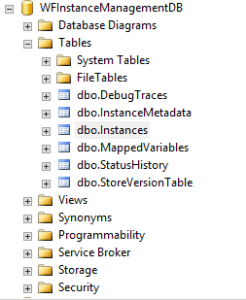
As it can be seen in the screenshot below, it consists of six tables.
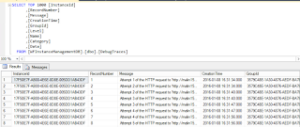
Among these tables, the dbo.DebugTraces table is the safest to go and explore. It contains all the debug traces as you can see below and it can be useful to find what exactly was logged when an error encountered in a particular instance. But before coming to this, it is always recommended to find it in ULS logs as well as the Windows Event Viewer of the Workflow Manager farm machines.
The dbo.MappedVariables table contains information about the variables being used in the workflow instances.
So is there anyone brave enough to try modifying a column value from here and see it work on the workflows?
NO! Not me. Might be later. 
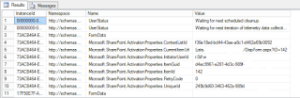
As you can see, there are values of the purged workflow instances that are due to be cleaned up.
Although there are four more databases, we will not speak about each of them. But there is the most important among all these six.
It is the dbo.Instances table.
As you can see in the table below, all the information related to the instances are recorded here.
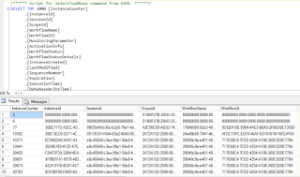
It contains information from the instance id to the last DB modified date. As you can see, the purged instances are also there before they being cleaned up.
As I have mentioned in everywhere, it is not recommend to even touch these databases. So anything you do is at your own risk.
My whole intention to come to this database was to check the debug traces, but thought it would be interesting to have a look around how things are handled.
If you have any further findings on this, feel free to post a comment and share with everyone.
Source: http://www.malindesilva.net/