








SharePoint and the Vanished Workflow History

- Introduction
- What Is SharePoint Workflow History?
- How Workflow History Worked in Classic SharePoint
- Why Workflow History Entries Disappeared
- What Happens After Workflow History Is Deleted?
- Are Classic SharePoint Workflows Still Recommended?
- Modern Alternatives: Power Automate
- How to Track Workflow Activity in Modern Microsoft 365 Environments
- Can You Still Extend Workflow History Retention?
- Conclusion
- About the Author
Contents
- Introduction
- What Is SharePoint Workflow History?
- How Workflow History Worked in Classic SharePoint
- Why Workflow History Entries Disappeared
- What Happens After Workflow History Is Deleted?
- Are Classic SharePoint Workflows Still Recommended?
- Modern Alternatives: Power Automate
- How to Track Workflow Activity in Modern Microsoft 365 Environments
- Can You Still Extend Workflow History Retention?
- Conclusion
- About the Author
Introduction
Workflow history has always played an important role in SharePoint-based business processes. Whether you are managing document approvals, tracking publishing activity, or auditing internal processes, workflow history provides visibility into who approved what and when.
In older SharePoint environments, workflow history was commonly associated with classic SharePoint workflows and Workflow Manager. However, modern Microsoft 365 environments have evolved significantly. Today, organisations are increasingly using Power Automate and Microsoft 365 workflows instead of legacy SharePoint workflows.
This article explains how SharePoint workflow history works, why workflow history entries may disappear over time, and what modern alternatives exist for tracking approvals and workflow activity in Microsoft 365.
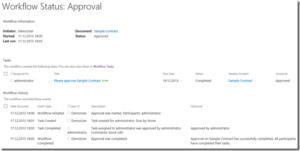

Why Workflow History Entries Disappeared
One of the most common questions administrators encountered was:
“Why has the workflow history disappeared?”
The answer was usually related to SharePoint’s automatic cleanup process.
The Workflow Auto Cleanup Job
Classic SharePoint environments included a timer job designed to remove old workflow history entries and completed workflow tasks.
The purpose was to improve performance and prevent large workflow-related lists from affecting the SharePoint farm.
By default:
- Workflow history entries older than 60 days could be removed
- Completed workflow tasks could also be cleaned up automatically
This behaviour was particularly important in large environments where thousands of workflow instances were created daily.
What Happens After Workflow History Is Deleted?
Even after workflow history entries were removed, some workflow-related information could still remain elsewhere in SharePoint.
For example:
- Document approval status may still be visible
- Metadata fields may still indicate approval
- Audit logs may retain activity records
- Related list entries could still exist temporarily
However, the detailed step-by-step workflow history was often no longer available through the standard user interface.
Modern Alternatives: Power Automate
Today, Power Automate is the preferred workflow platform for SharePoint and Microsoft 365.
With Power Automate, organisations can build workflows for:
- Document approvals
- Notifications
- Content publishing
- Employee onboarding
- Automated document processing
- Integration with Microsoft Teams and Outlook
Benefits of Power Automate
Compared to classic SharePoint workflows, Power Automate offers:
- Cloud-based automation
- Better Microsoft 365 integration
- Improved monitoring and analytics
- Flexible approval processes
- Mobile approvals
- Integration with hundreds of services
Power Automate also provides a clearer run history experience, allowing administrators and users to review workflow execution details directly within the Power Automate portal.
How to Track Workflow Activity in Modern Microsoft 365 Environments
Modern Microsoft 365 workflows use different tracking mechanisms compared to classic SharePoint workflow history lists.
Depending on the workflow design, history and auditing information may be stored in:
- Power Automate run history
- SharePoint lists
- Microsoft Purview Audit logs
- Dataverse
- Custom logging solutions
- Approval history records
Recommended Best Practices
If workflow history is important for compliance or auditing, consider:
Use Dedicated Logging Lists
Instead of relying solely on built-in workflow history, create dedicated SharePoint lists for:
- Approval decisions
- Timestamps
- Comments
- Workflow outcomes
Retain Approval Data Outside the Workflow
Important approval metadata should be stored directly on documents or records where possible.
Use Microsoft Purview Audit Logging
For enterprise governance scenarios, Microsoft Purview provides more reliable long-term auditing capabilities than legacy workflow history lists.
Monitor Power Automate Retention Policies
Power Automate run history retention may vary depending on licensing and environment settings.
Can You Still Extend Workflow History Retention?
In on-premises SharePoint Server environments, administrators can still configure workflow cleanup behaviour.
Historically, this involved:
- Adjusting workflow association properties
- Using PowerShell scripts
- Modifying workflow retention settings
However, these approaches primarily apply to legacy SharePoint Server deployments rather than SharePoint Online in Microsoft 365.
For modern cloud environments, it is generally better to design workflows with long-term logging and auditing requirements in mind from the beginning.
Conclusion
Workflow history remains an important part of document management and business process automation in SharePoint environments. However, the way workflow tracking works has changed significantly in Microsoft 365.
While classic SharePoint workflows relied on hidden workflow history lists and cleanup timer jobs, modern organisations should focus on Power Automate, Microsoft 365 auditing, and structured logging approaches for long-term workflow visibility.
When designing workflows today, it is important to think beyond temporary workflow history entries and build processes that support governance, auditing, and compliance requirements from the start.
About the Author
Oliver Wirkus is Senior Consultant at the IT consulting company Bridging IT GmbH in Mannheim/Germany. As a SharePoint expert and software architect he has long standing experience in conducting international projects. Customers from different industries like power suppliers, pharmaceutical and financial companies rely on his knowledge as a SharePoint expert. Oliver Wirkus has published several professional articles and is a renowned speaker at conferences.