









How to Download a SharePoint Content Type Template

How to Download a SharePoint Content Type Template
Has this ever happened to you? Let’s say you have a document library configured with a custom content type that uses a custom document template. Now you need to edit that content type template.
Normally, you can edit the file via the UI. When you go to the library settings and look in the advanced settings, you see this:
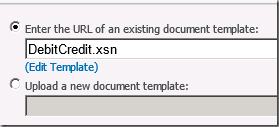
Awesome, I can click Edit Template and do what I need. You click Edit Template, and you get a nice error. This is likely because you are on the SharePoint server desktop, and the Office program isn’t installed (which it shouldn’t on the production server). Normally you could go to a client desktop and click Edit Template with no issue. But let’s say you wanted to download a copy for testing or backup purposes. Here’s one way you can download the content type template:
1.Open SharePoint Designer, and open the site where the content type is located
2.Click All Files -> the Library in question -> Forms -> your content type
3.You should see your file. Highlight it, then notice in the ribbon you have Export file.
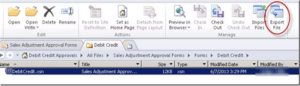
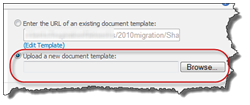
Now you have a local copy of your file. If you update it at this point, if it’s InfoPath you would likely publish it back to the library and update the content type. If it’s Word or similar, you can either import it here or you can upload it as a template via the Advanced content type settings.
If you have any questions regarding this post or our services, please contact us.