








Copilot Cowork: From AI Assistance to AI Execution

Contents
Introduction
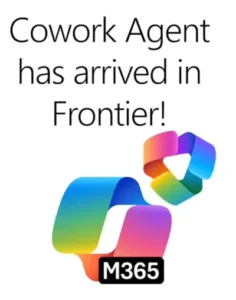
If you’ve been following the evolution of agentic AI over the past year, you’ve likely seen the emergence of collaborative execution models like Claude Cowork — systems designed to take an objective, plan the steps required, and execute meaningful work over time instead of responding to a single prompt.
Copilot Cowork brings this same execution‑first paradigm into the enterprise — but with one critical difference.
For now, Copilot Cowork Operates within the Microsoft 365 tenant security and permission boundary while executing actions using enterprise data governed by Microsoft 365 policies. It does not integrate with your local machine.
That’s not a limitation — it’s a design decision.
By operating within Outlook, Teams, SharePoint, OneDrive, Excel, Word, and PowerPoint, Copilot Cowork is able to execute work using your organization’s emails, meetings, conversations, and files under the same security, compliance, and permission controls already enforced across Microsoft 365. This allows organizations to explore agent‑driven execution while maintaining enterprise security, governance, and compliance policies already enforced across Microsoft 365. This represents the next step in Copilot’s evolution.
Over the past year, enterprise AI has largely focused on helping people:
- Write faster
- Summarize meetings
- Analyze spreadsheets
But there’s a difference between:
“Help me do work”
to
“Advance this work for me”
Copilot Cowork moves Microsoft 365 Copilot beyond conversational assistance into coordinated execution — enabling users to delegate meaningful, multi‑step work that progresses across time and applications.
Rather than responding to isolated prompts, Copilot Cowork is designed to:
- Accept an objective
- Break it into actionable steps
- Execute those steps across Microsoft 365
- Surface progress and outputs
- Pause for approval when needed
All while remaining grounded in your organization’s day‑to‑day work context through Work IQ signals.
Instead of asking Copilot to generate a single artifact, users can now delegate meaningful work and stay in the loop as that work progresses.
This marks the beginning of what many are calling the execution era of enterprise AI — where systems move from generating answers to advancing work itself.
From Task Assistance to Work Coordination
Historically, digital productivity tools — including AI assistants — have focused on optimizing individual tasks like draft this email.
Each interaction improves output quality or reduces time spent completing a specific activity.
Copilot Cowork introduces a fundamentally different interaction model:
Define the outcome — not the task.
Instead of telling the system what to create, users describe what they are trying to achieve.
Examples might include:
- Preparing for an executive review
- Coordinating stakeholder updates
- Organizing supporting materials for a meeting
- Consolidating insights from multiple workstreams
- Managing scheduling conflicts across a project
Copilot Cowork then begins coordinating the work required to move that objective forward — across communications, documents, meetings, and data — without requiring the user to manually orchestrate execution across applications.
The interaction shifts from:
“Generate content for me”
to
“Implement the next steps”
This subtle shift is what transforms AI from a productivity enhancer into a coordination layer for enterprise execution.
My Highlights from Copilot Cowork
1. Delegating Objectives Instead of Prompts
Traditional AI interactions are transactional — ask a question, receive an answer, repeat.
Copilot Cowork introduces an objective‑driven execution model where users describe an outcome and the system determines how to get there.
Instead of generating a one‑time artifact like a document or summary, Cowork identifies relevant:
- Files
- Conversations
- Meetings
- Emails
Across Microsoft 365 and begins coordinating the work required to move that objective forward across applications like Outlook, Teams, Word, and PowerPoint.
The interaction model shifts from:
“Write this report”
to
“Prepare everything I need for tomorrow’s executive review”
Technical Value
- Converts natural‑language requests into multi‑step workflows grounded in enterprise data
- Breaks complex tasks into execution steps across Microsoft 365 applications
- Maintains continuity across meetings, files, and communications
Business Value
- Reduces manual coordination between tools and processes
- Eliminates time spent managing execution steps across applications
- Enables teams to focus on outcomes instead of orchestration
2. Long‑Running Workflows That Progress Over Time
Unlike prompt‑based AI that completes tasks within a single interaction, Copilot Cowork is capable of handling longer‑running work that unfolds across minutes or hours.
After receiving an objective, Cowork continues working in the background while:
- Drafting outputs
- Updating documents
- Preparing communications
- Coordinating scheduling
- Organizing supporting materials
- Tracking execution progress
Users remain informed through visible checkpoints and can intervene, redirect, or approve actions at any stage.
A single request can result in:
- Building meeting packets
- Drafting stakeholder emails
- Scheduling events
- Generating presentations
- Organizing supporting documentation
Without requiring the user to manually coordinate each step across multiple applications.
This introduces a new working pattern where multiple initiatives can be advanced simultaneously — allowing knowledge workers to focus attention where judgment and decision‑making are required instead of where coordination effort is needed.
Technical Value
- Supports persistent, multi‑step execution across Microsoft 365 workloads
- Enables real‑time intervention and instruction while work is running
- Provides progress tracking and execution transparency
Business Value
- Enables parallel task advancement without constant user involvement
- Accelerates coordination‑heavy activities like reporting and preparation
- Reduces context switching between productivity applications
3. Context‑Aware Execution Through Work IQ
At the core of Copilot Cowork is its ability to ground actions in real work signals using Work IQ — drawing context from Outlook, Teams, Excel, and other Microsoft 365 services. If Work IQ is a concept you can learn more here.

This allows Cowork to:
- Reason over enterprise knowledge
- Coordinate work across applications
- Maintain continuity with organizational permissions
- Operate within Microsoft’s existing security model
Sensitive actions require explicit user approval, ensuring transparency and governance throughout execution.
Unlike external AI systems that rely on manually uploaded context, Copilot Cowork operates within the same information boundaries as the employee — using only data they already have access to.
Technical Value
- Executes tasks using existing enterprise permissions
- Maintains alignment with security and compliance policies
- Grounds execution in real‑time collaboration signals
Business Value
- Enables automation without bypassing governance controls
- Builds trust in AI‑driven workflows
- Allows execution within existing enterprise operating models
What This Changes for Enterprise Operating Models
The introduction of execution‑capable AI has implications beyond individual productivity.
As systems begin coordinating work across time and applications, organizations may begin to rethink:
- How preparation work is completed
- How reporting cycles are managed
- How cross‑functional coordination occurs
In many cases, the effort associated with managing work — scheduling, consolidating inputs, formatting outputs, preparing updates — becomes a candidate for delegation.
This creates an opportunity to shift knowledge worker focus from managing execution to making decisions.
Over time, execution‑capable agents like Copilot Cowork may begin to act as coordination layers within enterprise environments — advancing defined objectives while keeping users informed and in control.
Getting Started with Copilot Cowork
While Copilot Cowork represents a significant shift in how work can be delegated to AI inside the enterprise, getting started with the experience today is intentionally controlled.
Copilot Cowork is currently available through the Microsoft 365 Frontier program — an early‑access environment that allows organizations to explore pre‑release Copilot agents inside their own tenant before general availability.
This means Cowork is not enabled automatically.
Organizations that want to test execution‑capable AI inside Microsoft 365 must:
- Have Microsoft 365 Copilot licenses assigned
- Enroll their tenant in the Frontier program
- Enable Copilot agents for selected users
- Assign access to the Cowork agent through the Agent Store
Once enrolled, users can access Copilot Cowork directly through the Microsoft 365 Copilot experience — either inside supported applications like Outlook and Teams or through the Copilot interface on the web.
From there:
- Open Microsoft 365 Copilot
- Navigate to Agents
- Select All Agents
- Search for Cowork (Frontier)
- Add the agent to your Copilot environment
After installation, Copilot Cowork appears alongside other agents and can be invoked using natural‑language requests.
Your First Test Use Case
When evaluating Copilot Cowork for the first time, the most effective approach is to test a coordination‑heavy scenario that typically requires multiple tools and manual preparation steps.
For example:
- Meeting Preparation Workflow
Rather than:
- Reviewing documents in SharePoint
- Summarizing Teams conversations
- Drafting stakeholder updates in Word
- Creating slides in PowerPoint
- Scheduling follow‑up meetings in Outlook
You can define the outcome and allow Cowork to coordinate execution.
Example Prompt
Review the documents in our Q2 Strategy folder, summarize key updates from
last week’s Teams conversations, draft an executive update email for
leadership, create a short presentation outlining current risks and
blockers, and schedule a follow‑up meeting with project owners next week.
Copilot Cowork will then:
- Identify relevant files
- Parse meeting and chat context
- Draft communications
- Generate presentation content
- Propose scheduling updates
All within your Microsoft 365 environment.
Observing Agent Execution
Unlike traditional Copilot interactions, Cowork operates over time.
After receiving an objective, it:
- Generates an execution plan
- Begins coordinating tasks across applications
- Surfaces progress checkpoints
- Requests approval for sensitive actions
Users can observe execution directly inside the Copilot conversation pane, where:
- Individual execution steps appear
- Outputs are generated incrementally
- Proposed actions are surfaced for approval
At any point, you can:
- Interrupt execution
- Add additional instructions
- Attach files for additional context
- Pause or stop work
- Redirect priorities
For example:
After finishing the presentation, also prepare a summary document for
distribution to regional leads.
Cowork will queue the additional instruction and continue coordinating execution accordingly.
This introduces a working pattern where tasks are no longer completed sequentially across applications — but advanced simultaneously through coordinated execution.
Additional Prompts to Try
Inbox Management:
Organize my inbox from the past 48 hours, flag emails that require a
response, draft replies for customer escalations, and schedule time
for me to review outstanding action items.
Project Update:
Summarize this week’s updates across Teams conversations and
SharePoint documents, draft a status report for stakeholders, and
prepare talking points for tomorrow’s leadership sync.
Research Workflow:
Review our onboarding materials, identify gaps in current documentation,
create a draft improvement plan, and prepare a presentation for next
week’s enablement session.
Starting with real coordination workflows allows organizations to evaluate not just the quality of AI‑generated outputs — but the system’s ability to advance work across time, context, and applications.
Final Thoughts
CoWork represents a shift from:
“AI as a productivity tool”
to
“AI as an execution partner”
By enabling users to delegate meaningful work that progresses across applications and time, organizations can move beyond optimizing existing workflows toward coordinating entirely new ways of getting work done inside Microsoft 365.
As enterprises continue exploring agent‑driven operating models, capabilities like Copilot Cowork signal an evolution in how AI systems participate in day‑to‑day business processes — not just as assistants, but as active contributors to execution.
About the author

Kenny Nagano
Cloud and AI Specialist | Financial Services
K, Nagano (06/05/2026) Copilot Cowork: From AI Assistance to AI Execution. Copilot Cowork: From AI Assistance to AI Execution | by Kenny Nagano | Apr, 2026 | Medium